


Why is the MBD model crucial in intelligent manufacturing?
Release time:
2025-04-30 00:28
Source:
In smart manufacturing, MBD (Model-Based Definition) models play a crucial role, mainly reflected in the following key aspects:
Accelerate time to market:
Optimize the design document creation process: By reducing errors and delays, MBD models shorten the time engineers spend developing design documents. This allows engineers to focus on more critical tasks instead of spending a lot of time on tedious design document preparation.
Support agile development: In a highly competitive market environment, companies need to respond quickly to market changes and accelerate time to market. The use of MBD models helps companies manage complex product development processes more effectively, thereby speeding up the launch.
Avoid downstream delays and costs:
Reduce errors and delays: Traditional paper design documents often lead to misunderstandings and errors, causing downstream delays and additional costs. MBD models provide precise 3D design and manufacturing information (PMI), ensuring that departments such as procurement, manufacturing, and quality control use the same accurate information, reducing errors caused by misinterpretation of design intent.
Improve efficiency: Through automated semantic Product Manufacturing Information (PMI), MBD models eliminate issues caused by skill or knowledge barriers in traditional design documents, enhancing the efficiency of the entire product development process.
Address complexity:
Support complex product design: As products evolve from traditional mechanical structures to intelligent and connected forms, the requirements for product design and manufacturing become increasingly complex. MBD models can convey design intent clearly and accurately, ensuring different departments understand and execute complex design requirements.
Ensure consistency: MBD models ensure consistent understanding of design intent across different departments during the product development cycle, avoiding delays and cost increases caused by inconsistent information.
Reduce production costs:
Improve manufacturing and quality control accuracy: MBD models can be directly used for CNC machining (such as CNC tool path generation) and quality assurance (such as CMM inspection path generation), which not only improves production efficiency but also reduces material waste and rework costs caused by human errors.
Support innovative manufacturing methods: MBD models enable companies to fully utilize new manufacturing technologies (such as high-speed machining, computer-controlled non-contact quality inspection, etc.), thereby increasing production speed while reducing production costs.
So how can companies quickly convert their original 3D CAD models into MBD models?
Add MBD functionality to the original standard CAD software
1) Contact the original CAD software vendor to purchase the MBD function module
SolidWorks MBD: Open SolidWorks software, load the 3D model, select the MBD icon in the Manufacturing Information tab to enter the MBD environment, use annotation tools to add annotations at required positions on the model, and use dimension tools to add dimension annotations to clearly express the model's size information.
UG NX: In UG NX, click Start and select PMI Product Manufacturing Information, then click the Product Manufacturing Information menu bar to access options such as dimensions, annotations, surface roughness, and datum feature symbols, and annotate the required information as needed.
PTC Creo: PTC Creo also provides an MBD solution that integrates product information into 3D models. It supports multiple industry standards and has powerful annotation tools to create tables, manage symbols and annotations. Semantic referencing and PMI integration ensure accurate data sharing. Integrated analysis tools like GD&T Advisor and EZ Tolerance Analysis help users optimize designs. Workflow optimization simplifies annotation management and improves selection tools for efficiency. It can also generate technical data packages for sharing within the supply chain and manufacturing processes, enhancing product quality and efficiency.
2) Purchase MBD plugins compatible with the CAD software currently in use
CAPVIDIA has developed three plugins for mainstream CAD software systems: MBDConnect for Creo, MBDConnect for NX, and FormatWorks for SOLIDWORKS, to assist with MBD model quality inspection and management.
MBDConnect for Creo
Supports direct publishing of QIF or STEP AP242 models from CREO, compatible with Creo 4 and later versions.
Helps users upgrade old data: Automatically generates human-readable 3D PMI from 2D CAD drawings.
Ensures the model's PMI complies with QIF standards and is human-readable.
Automatically generates FAI reports and other reports.
Automates CMM measurement operations.
Collects measurement data: Supports importing measurement results into MBD models to improve product quality and business insights.
MBDConnect for NX
Supports direct publishing of QIF or STEP AP242 models in NX, compatible with NX 11, 12, 1800s, 1900s, and 2000s.
Enables automated first article inspection (FAI), coordinate measuring machine (CMM) operations, and single source of truth (SST).
Collects measurement data: Supports importing measurement results into MBD models to improve product quality and business insights.
FormatWorks for SOLIDWORKS
Supports direct publishing of QIF or STEP AP242 models from SOLIDWORKS, compatible with SOLIDWORKS 2021 and later versions.
Can import original MBD geometry files from CATIA, Creo, NX, QIF, STEP AP242, etc.
Ensures the model's PMI complies with QIF standards and is human-readable.
Automatically generates FAI reports and other reports.
Automates CMM measurement operations.
Collects measurement data: Supports importing measurement results into MBD models to improve product quality and business insights.
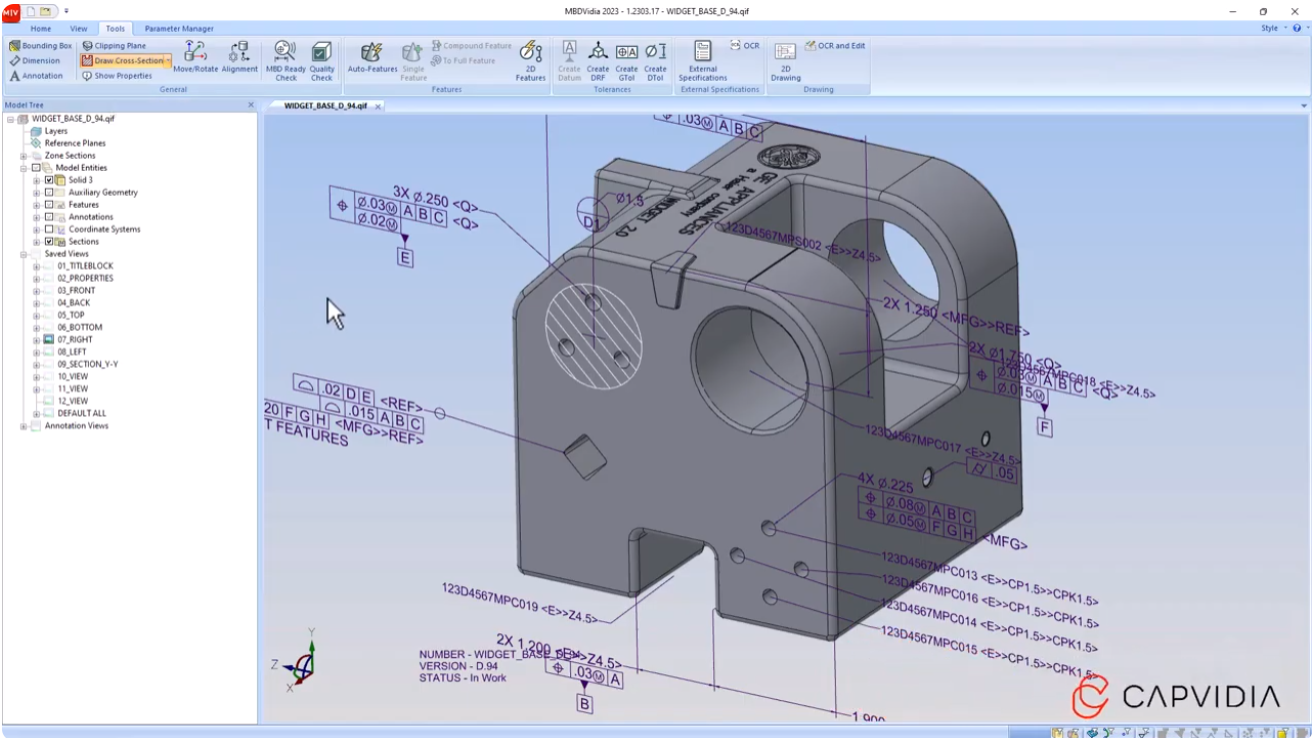
With the help of third-party MBD software— MBDVidia
3D CAD + true MBD
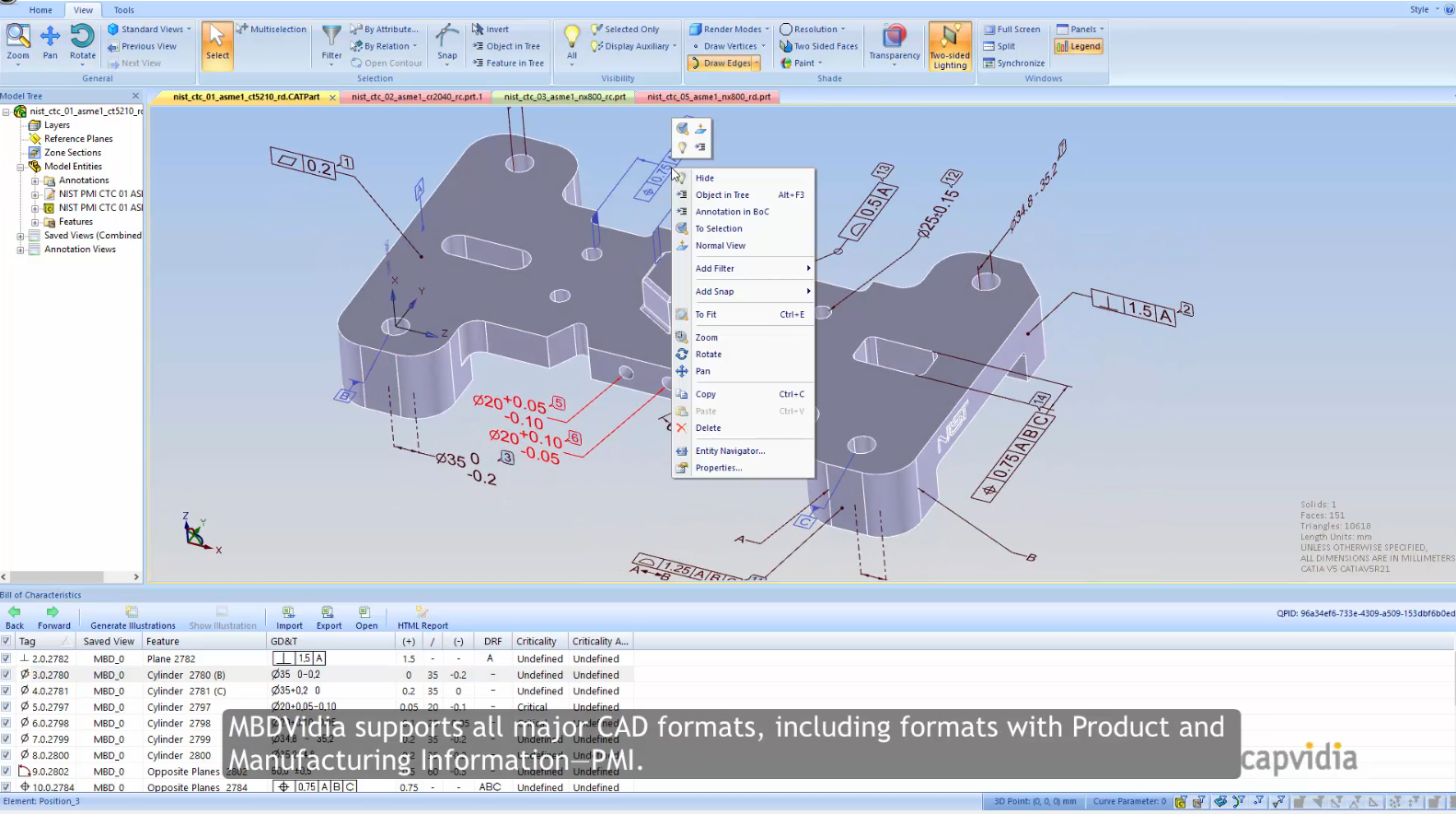
By standardizing PMI annotations, exports neutral CAD model files (QIF or STEP files), ensuring 3D CAD models and their PMI annotations are human-readable and compatible with multiple CAD software such as SolidWorks, Creo, and NX, achieving true MBD from design to manufacturing to quality without manual transcription.
Automatically generates FAI and other reports.
With just a click on 2D drawings (Balloon 2D), 3D CAD, and/or 3D HTML, users can view feature lists and automatically generate customizable inspection reports. Supports standards such as AS9102 and PPAP.
MBD readiness check
Trims and restores PMI (GD&T and other 3D annotations) to make them suitable for CMM, CAM, and other downstream semantic workflows. Avoid the hassle of manual transcription or interpretation errors!
3D Model Comparison and Verification,MBD Model Comparison,MBD Model Creation