


What key points should you consider when evaluating and purchasing MBD‑PMI inspection and repair software?
Release time:
2026-09-01 18:39
Source:
As MBD (Model-Based Definition) gains widespread adoption across equipment manufacturing, aerospace, and the automotive industries, PMI (Product Manufacturing Information) embedded in 3D models has become the single source of truth for product data, directly supporting CAM machining, automated CMM coordinate measuring machine inspection, and collaborative supply-chain delivery. However, challenges such as heterogeneous CAD format conversion, legacy model data, and inconsistent annotation practices often result in PMI semantic fragmentation, annotations tied to edge lines or auxiliary geometry, and invalid datum references. These issues prevent downstream systems from recognizing machine‑readable PMI, leading to extensive rework and communication overhead. When evaluating tools for MBD‑PMI validation and repair, companies should not rely solely on marketing materials; instead, they must assess solutions holistically—considering standards compliance, functional scope, POC testing, licensing models, and technical support—aligned with their specific business needs. Drawing on publicly documented industry practices and using Capvidia MBDVidia as a representative case study, this paper outlines the key considerations throughout the procurement process.
I. Basic Understanding of Tool Selection: Distinguishing Between Native CAD Modules and Specialized Middleware
MBD‑PMI validation tools on the market fall into two main categories, with clearly distinct capability boundaries; enterprises should first align their choices with their own needs to avoid selection errors.
The first category comprises native MBD validation modules integrated into CAD systems; NX PMI Validator, Creo ModelCHECK, CATIA FT&A validation, and SolidWorks DimXpert MBD all fall under this category. Native modules are well-suited for real-time self-checks during the design phase, featuring built-in validation rules compliant with ASME Y14.41 and ISO 16792 standards, capable of flagging PMI compliance violations. However, their common shortcoming is Its automatic repair capabilities are weak; most systems merely issue alerts without performing repairs, and they have limited ability to address semantic corruption in neutral STEP‑AP242 files resulting from cross‑CAD conversions, as well as in legacy models. , suitable for source control of newly built models, but not for large-scale governance of existing models.
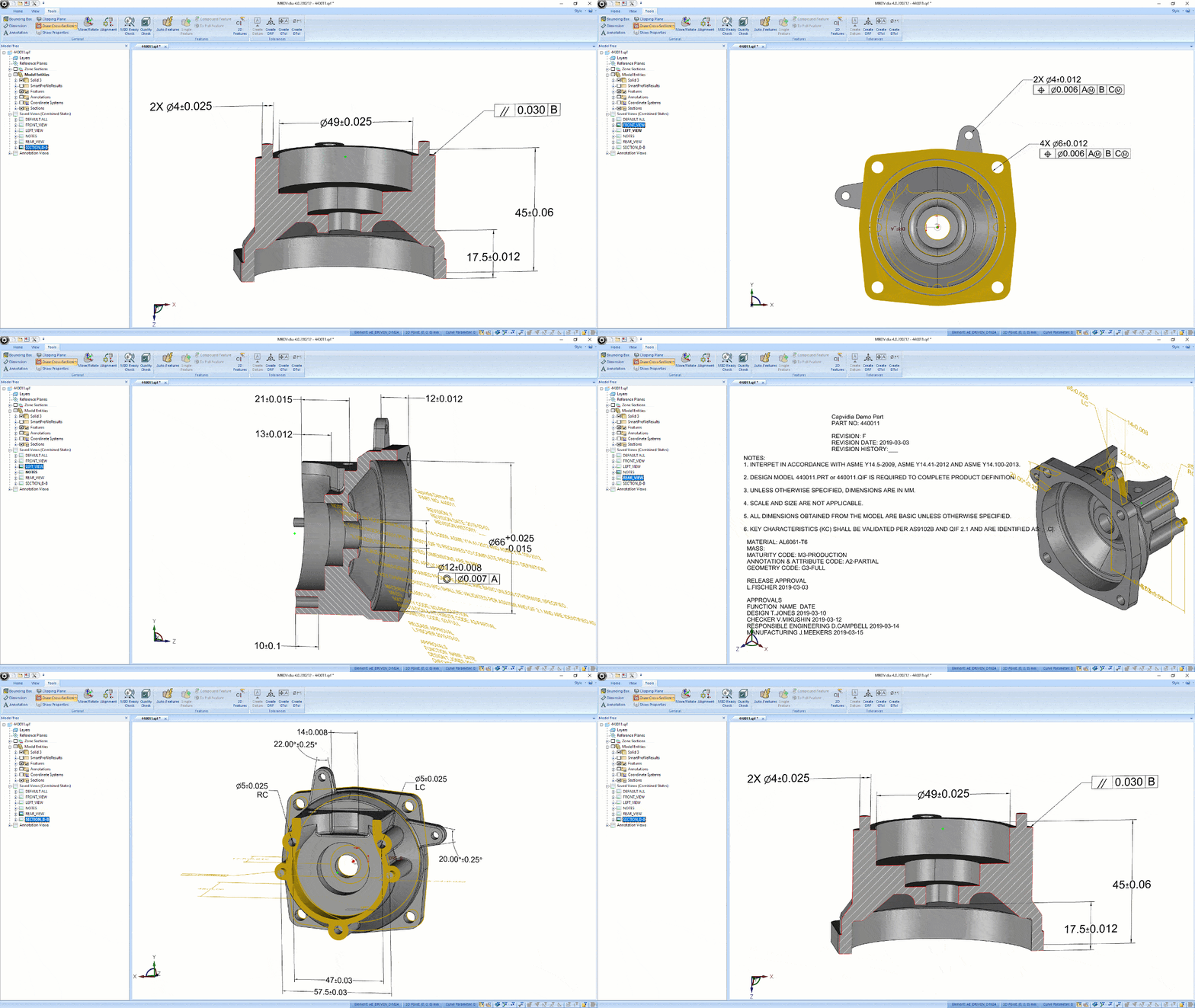
The second category is independent, specialized MBD middleware, with representative products being Capvidia MBDVidia It is primarily designed for enterprise scenarios involving mixed multi‑CAD environments, managing existing MBD models, and requiring machine‑readable PMI‑driven automated CMM inspection. These tools do not perform 3D modeling; instead, they focus on PMI semantic validation, repairing corrupted PMI, and generating standardized neutral formats. They can directly read native NX, Creo, CATIA, and SolidWorks files without prior manual conversion to STEP, while also supporting export in STEP‑AP242 and QIF (ISO 23952) formats, thereby bridging the data pipeline from design through to quality inspection.
Objective industry boundaries: Regardless of the type of tool, It can only repair data corruption, attachment object errors, and format‑compliance issues. As for design‑intent errors—such as logical flaws in the baseline scheme, unreasonable tolerance values, or misuse of GD&T types—the software can only issue warnings and cannot automatically correct them; manual intervention by an engineer on the CAD source file is required. 。
II. Key Verification Points During the Trial Application Phase
Enterprise-grade MBD‑PMI tools generally do not offer free personal learning editions; they provide only time-limited evaluation licenses to corporate customers, in order to MBDVidia For example, you can submit a trial request via the official Capvidia website (https://www.capvidia.com/downloads) or through its official domestic distributor, Beijing Qiaozhe Technology (https://www.deanwell.com.cn/technical_support_1.html). After downloading and installing the MBDVidia software, you must return the generated Request Key to obtain authorization; the entire process typically takes 1–3 business days. Before starting the trial, please confirm the following key requirements:
- Trial License Integrity : Verify whether the evaluation version provides full access to all core features, including PMI validation, automatic repair, STEP‑AP242/QIF export, and complete report generation, and confirm that no functionality has been deliberately restricted. Also, clarify the license duration and licensing model (standalone license bound to a hardware ID or floating network license).
- Technical support during the trial period : Confirm whether remote guidance by engineers is provided; whether importing real in-house part models for POC testing is permitted; and clarify data confidentiality agreements.
- Software Version and Hardware Environment : Confirm that the provided installation package is an official release, verify the supported operating systems and compatibility with mainstream CAD versions, and obtain hardware configuration recommendations for running large assembly models.

3. POC Proof of Concept: Must be tested using real enterprise models; reject relying solely on demo presentations.
Paper specifications and vendor sample files cannot reflect a company’s actual operating conditions. POC testing is the most critical step before procurement. It is recommended to select 3–5 real-world enterprise models, covering standard MBD parts, legacy older models, and PMI‑damaged models after STEP conversion; simple assemblies may also be included. Agree in advance on quantifiable pass criteria for the POC. Key validation items for the POC:
- Standard Rule Set Validation : Verify that the built-in rule sets for ASME Y14.41/Y14.5, ISO 16792, and ISO 1101 are confirmed, and also confirm whether these rule sets support enterprise‑customized MBD specification extensions; comprehensively detect issues such as datum feature failure, PMI attachment edges/vertices, mismatches between nominal geometry and annotations, and non‑conforming symbols.
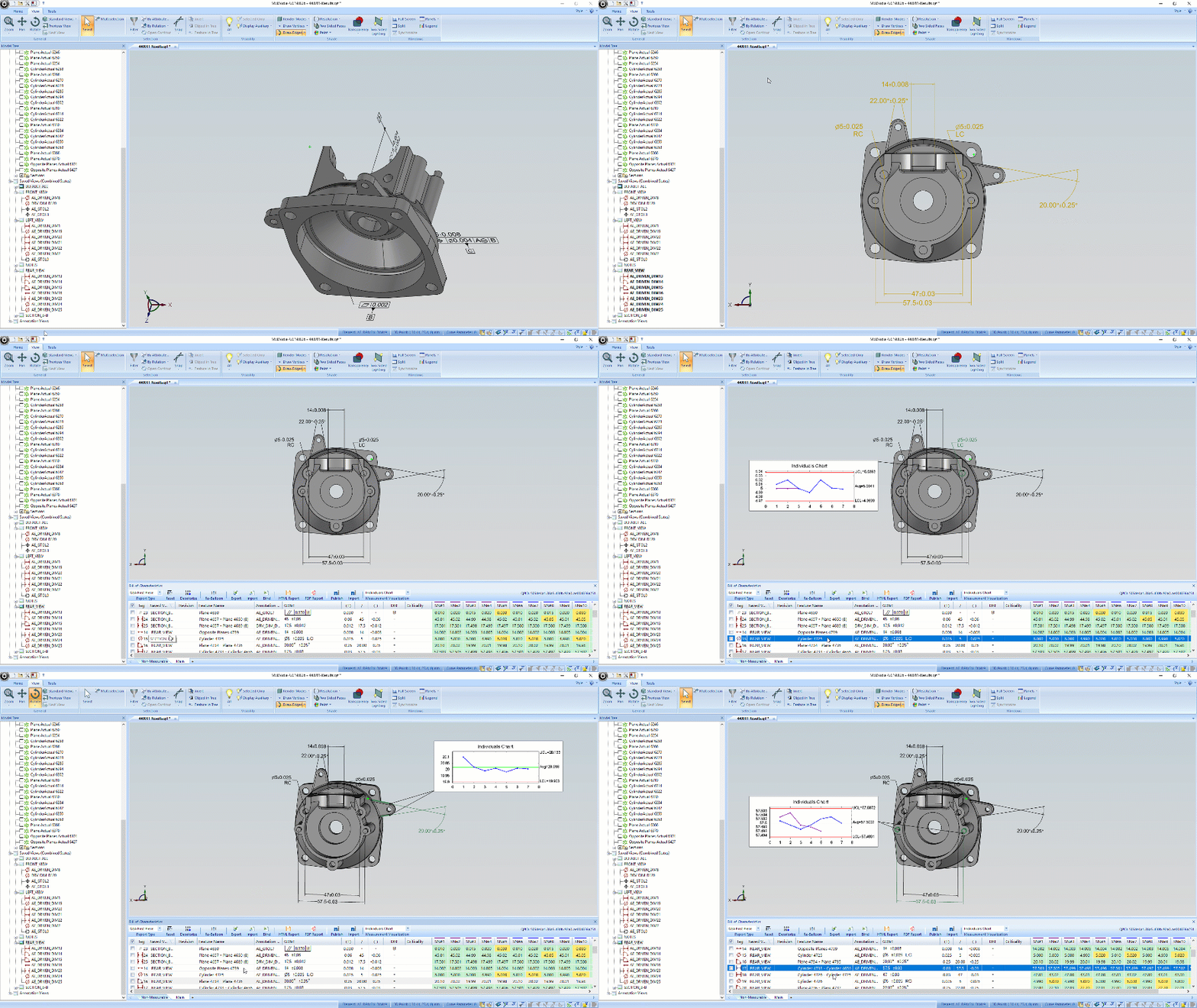
- Actual Measurement of PMI Repair Capability : Verify whether PMI attached to edge lines and auxiliary geometry can be re-bound to solid faces, and fix broken datum references; after the fixes are completed, export STEP‑AP242 and QIF files, import them into mainstream CMM software such as PC‑DMIS, and verify that the PMI can be fully recognized and read by the machine.
- Performance and Stability : Records the processing time for batch operations on simple and moderately complex parts, verifies stability in multi-file batch-processing scenarios, and confirms that design logic errors trigger only warnings without altering the original design intent.
- Output Integrity : Verify whether the issue checklist, repair log, 3D‑HTML report, and Excel export function are available, and assess the level of support for Chinese-language reports.
- Co-verification of Supporting Modules : If bubble charts or FAI first-article inspection reports are required, perform synchronous validation. Balloon2D Link; if a version change review is required, verify CompareVidia A module that enables version comparison of geometry and PMI, meeting the requirements of Engineering Change Order (ECO) reviews.
IV. Deploy integration capability assessment to align with enterprise digital processes
Many companies only discover after procurement that the tool cannot be integrated into their existing business workflows; during the evaluation phase, it is essential to verify deployment and integration capabilities:
- Deployment Mode Two licensing modes are available: node-locked standalone licensing and floating (network) licensing. Confirm whether command-line batch processing is supported, whether external API interfaces are exposed, and whether integration with the PLM system is possible to implement an automated PMI inspection-and-repair pipeline before models are imported into the repository.
- Multi-CAD compatibility : Verify the highest supported CAD software version for the software and ensure compatibility when reading and processing files from newer CAD versions; confirm whether CAD plugins such as MBDConnect need to be purchased separately.
- Downstream link connectivity established The exported STEP‑AP242 Version 3 and QIF ISO23952 files must be compatible with CAM and CMM inspection software to enable a closed-loop digital thread.
V. Business Authorization and Services: Clarify Module Boundaries to Avoid Hidden Costs Later On
- Authorization Mode Confirmation : with MBDVidia For example, under the annual subscription model, there is no perpetual buyout license; licenses are differentiated between standalone nodes and floating concurrent users, and between the main software, CompareVidia Version comparison, Balloon2D bubble chart module—whether each module is billed separately, and a bundled purchase quotation.
- Annual Service Inclusions : Clearly state that the annual fee includes version upgrades, bug fixes, and remote technical support; specify which services require additional charges, such as on-site implementation, custom development of enterprise MBD rules, and batch processing of historical models.
- Domestic technical support capabilities : Verify whether the domestic technical team is certified by the vendor; confirm the SLA response time for fault resolution; assess the time lag between domestic and international software version updates; determine if comprehensive user manuals and API development documentation are provided; and review benchmark implementation cases in equipment manufacturing, aerospace, and automotive sectors.
VI. Risk and Expectation Management: Avoiding Pitfalls in Technology Selection
- Don’t blindly trust “one-click universal repair”: tools can fix data-level corruption, but design logic errors still require engineers to manually correct the original CAD files.
- Distinguishing performance boundaries between parts and ultra-large assemblies: Complex, large-scale assemblies can encounter performance bottlenecks; verify processing limits in advance through POC testing.
- Compatibility of non-standard custom annotations and special GD&T symbols must be verified through actual measurements using proprietary models.
- When upgrading to a major version of CAD software, you need to confirm whether the associated tools require an upgrade and whether any additional costs will be incurred.
VII. Summary of the Selection Decision-Making Logic
‑ If the primary purpose is to provide basic guidance for the design side and the number of existing models is small, prioritize using the native CAD MBD verification module, as it entails lower investment costs.
‑ If an enterprise operates multiple CAD systems, has a large inventory of legacy MBD models, and needs to enable automated CMM inspection with machine-readable PMI: it is recommended to conduct a proof-of-concept (POC) evaluation of specialized middleware to fully validate the end-to-end workflow—inspection‑repair‑export‑downstream reading—before proceeding with commercial procurement.
MBD‑PMI tools cannot be implemented out of the box; they must be integrated with an organization’s internal MBD modeling standards and model release processes. The tools are merely a means; the ultimate goal is to establish standardized quality‑control processes for 3D models.
MBD NVIDIA trial,MBD‑PMI Inspection and Repair,MBD Data Inspection and Repair,MBD Deployment Plan